Crew LineUp
| Audience: | All Crewing users |
| Last Updated: | 08 October 2025 |
| Introduction: | This topic explains how to manage multiple crew changes |

LineUp is the new functionality in ShipSure 2.0 to enhance the user experience of managing multiple crew changes at one port for a particular vessel
This functionality also enables ShipSure users to send Flight, Hotel and Port Agent details to the seafarers’ mobile application
The Crew LineUp function is located within the Crew List module
Click on the ShipSure icon > Crew > Crew List to open the Crew List Tab where users can access the Crew LineUp link
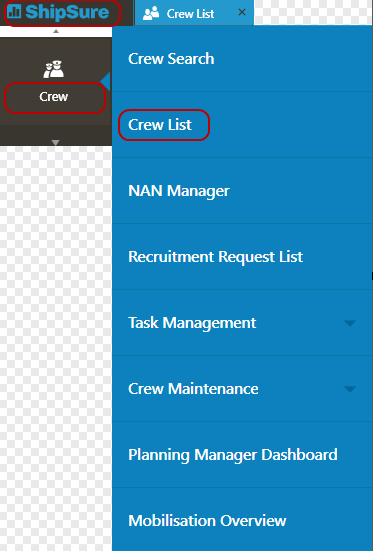
The Crew LineUp link is located on the Blue Ribbon function bar of the Crew List landing page

When the user selects the  icon the Lineups Landing page will default to open all Active Lineups but the user can opt to search for an individual vessel LineUp or view Historical Lineups
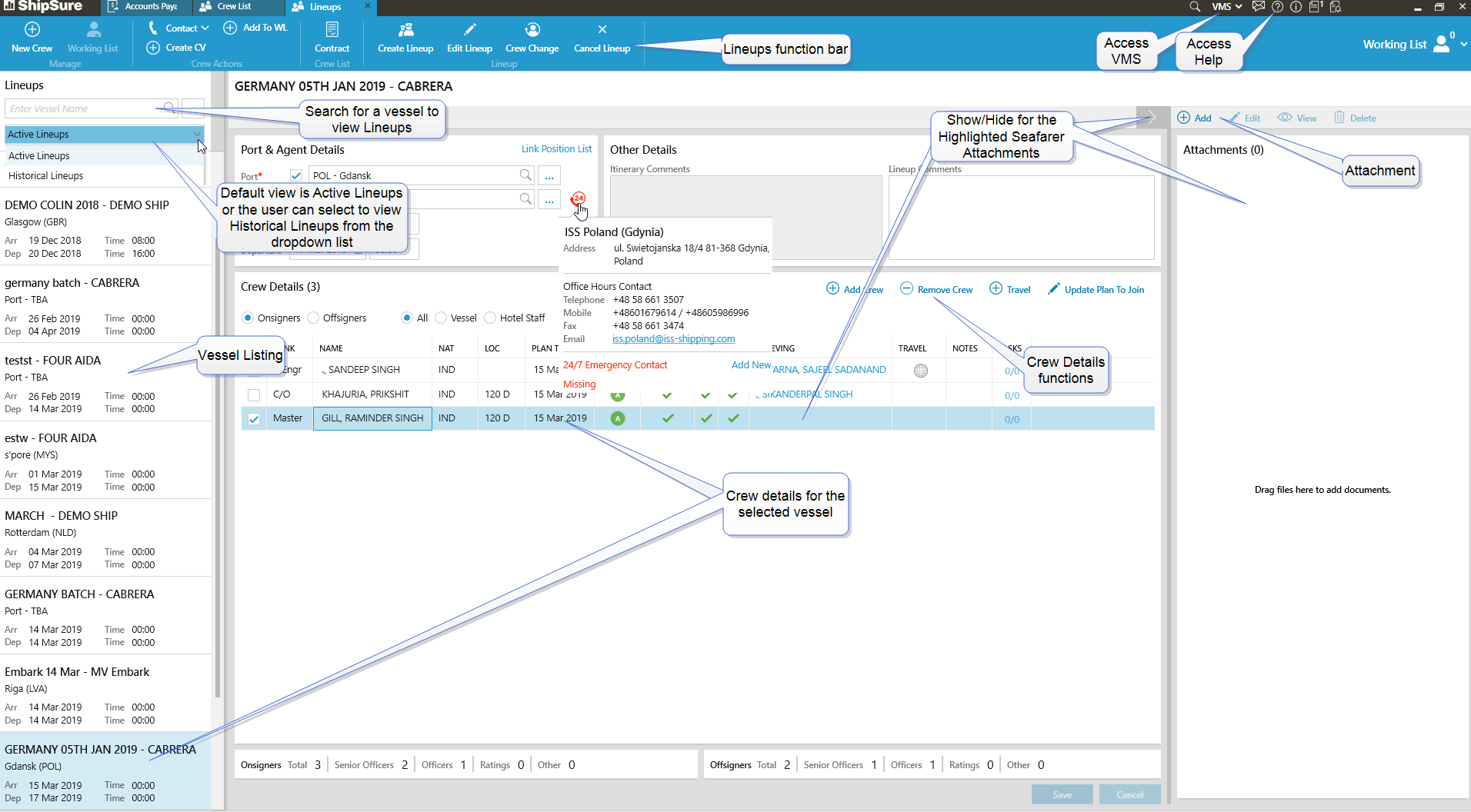
The user has the ability to view Active and Historical Lineups
By highlighting the seafarer in the Crew Details grid the user can view attachments using the  Icon and
By double clicking on the highlighted seafarer the user can access the seafarers details
The user can create a New Lineup by clicking on the  function on the Blue Ribbon for the selected vessel
The Create Lineup window will open allowing the user to input the Vessel name, Owner and Lineup Name
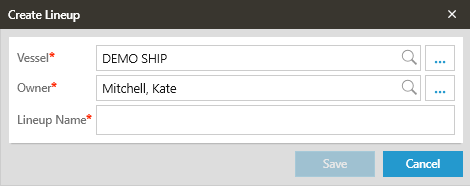
All fields indicate with a RED* are mandatory and must be completed
When all fields have been completed click on the  button and the new LineUp will be found in the Lineups column on the left of the main grid
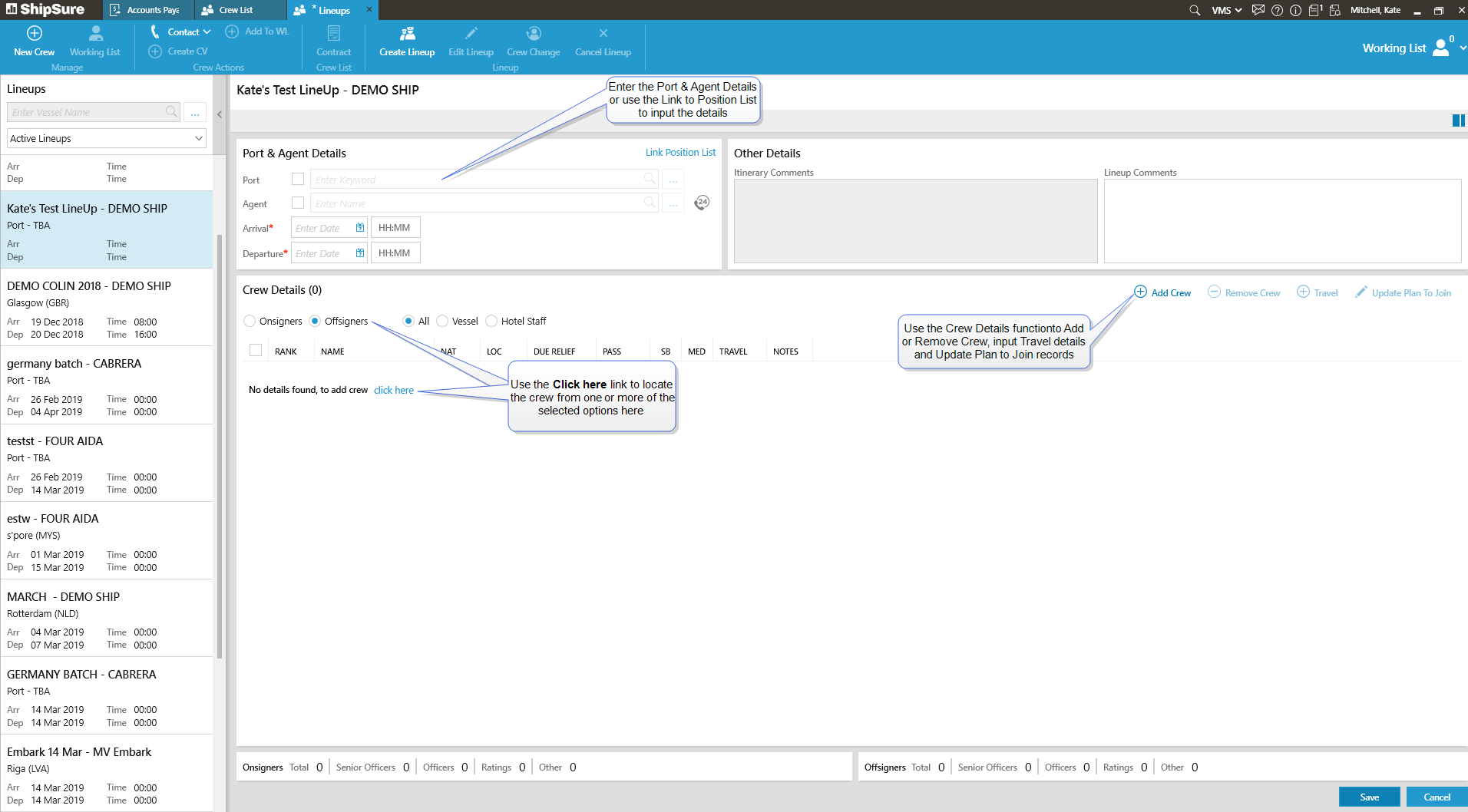
- Enter the Port & Agents details by selecting the required details from the dropdown lists
-
Arrival and Departure fields are mandatory and dates must be entered prior saving the details
- The Link to Position List can by used to locate an Active Position List record ans Add it to the Port and Agents details
- Input the Crew Details for On and Off signers by using the radio buttons to indicate which is to be added

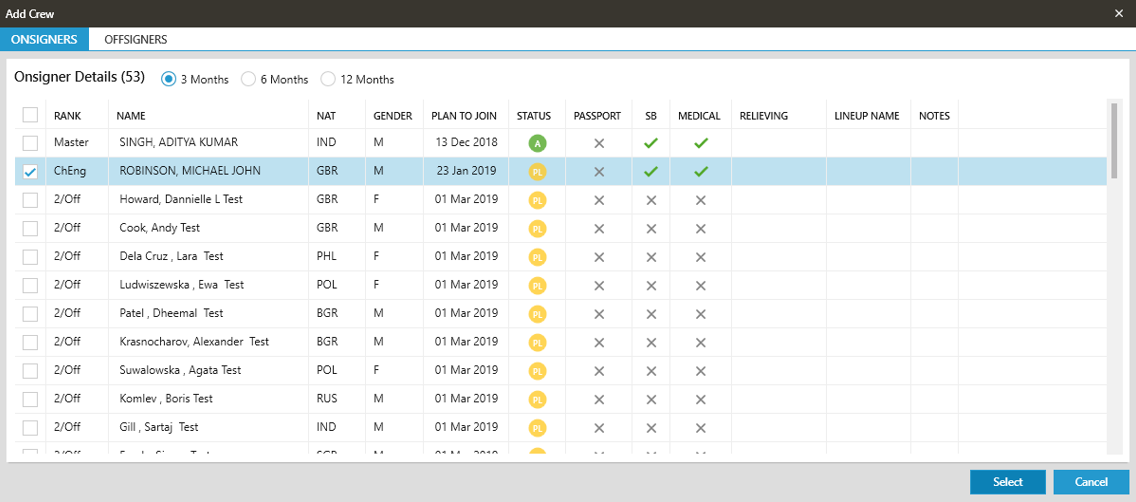
- The user can select multiple Onsigners who are planned to join the vessel in the Onsigners tab.
- Filters are also available to check forward planning for 3 /6 and 12 Months
-
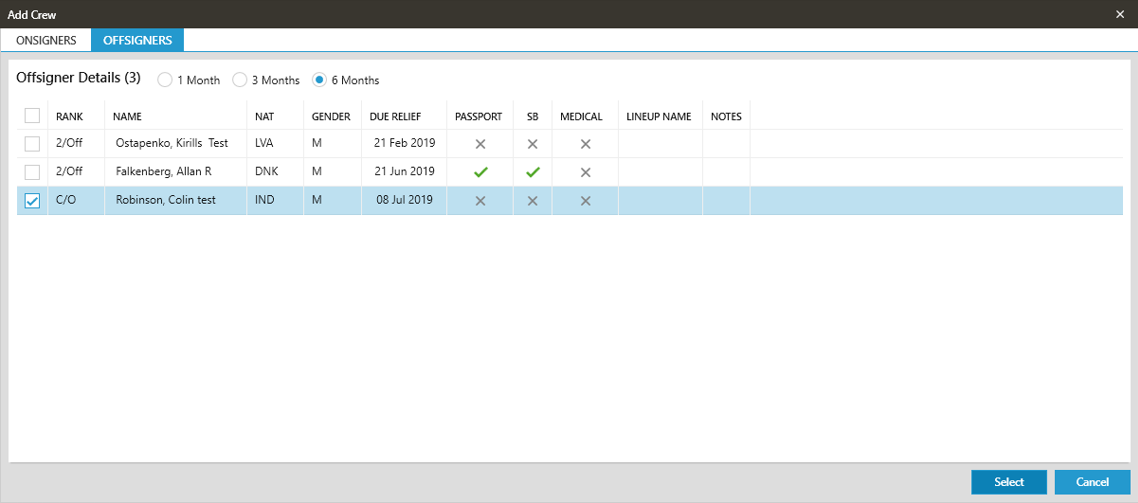
The user can select multiple seafarers for disembarkation
- Filters are available to check seafarer signing off in next 1 / 3 and 6 Months
-
Clicking on the
 button, the selected seafarers appear in the Crew details section of a selected Lineup
 - The Crew Details functions can be used to Add or Remove Crew that have been added using the On and Off signer method
-
Click on the
button and the details of the planned crew change will be sent to the selected seafarers (if seafarers are digitally enabled) - Users can Add Travel details for onsigners and offsigners by clicking on the
 icon
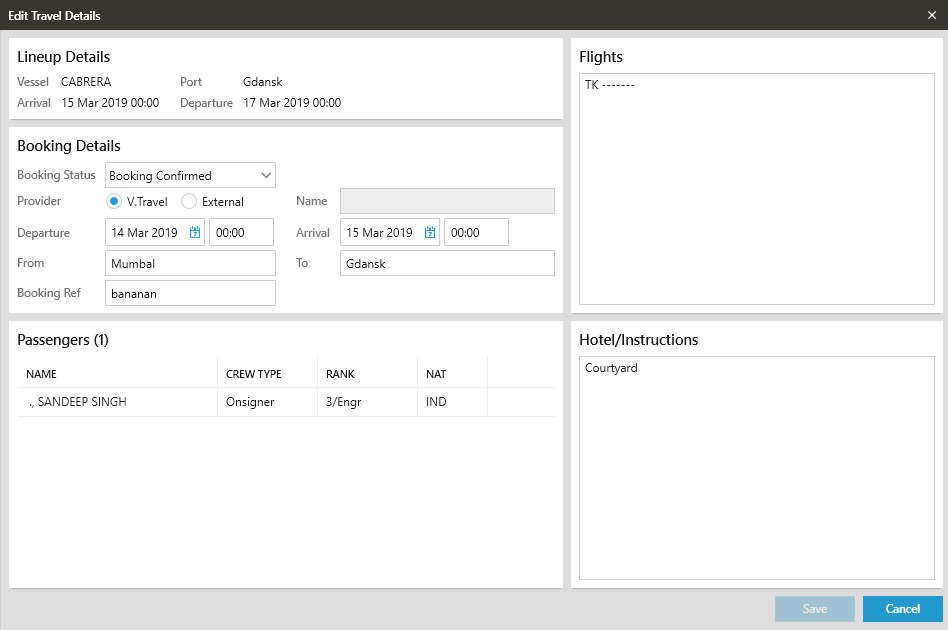
icon - Complete the Edit Travel Details grid with all of the required information
-
Similarly, the travel info can be entered for onsigners to enable them to view their travel details on mobile app
- Then click on the button to update the travel for the selected seafarer
- The user can select the
 icon and then update the Plan to Join date
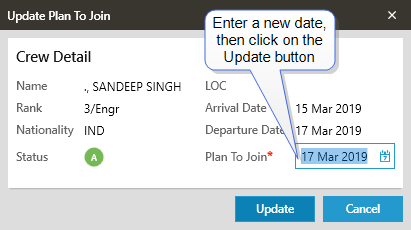
- When complete click on the
 button to complete the process