Splitting Requisitions
| Audience: | Purchasing Department | |
| Last Updated: | 27 January 2026 | |
| Introduction: | This topic explains how you can now split a requisition into multiple separate requisitions | |
| See also: | Merging Requisitions |

A Requisition that has been created with lines that cannot all be ordered from the same supplier, can be split.
A requisition / enquiry can be split into multiple requisitions that can then be ordered through different suppliers.
This functionality if not available for the Fleet Managers & Superintendents

To split a requisition / enquiry:
- Open the requisition / enquiry you want to split, then click the [Split Order] button at the top of the screen.
- Tick the box beside each order line that you wish to add to a new requisition / order, then click [Next].
-
Copy or Add Notes, then click [Finish].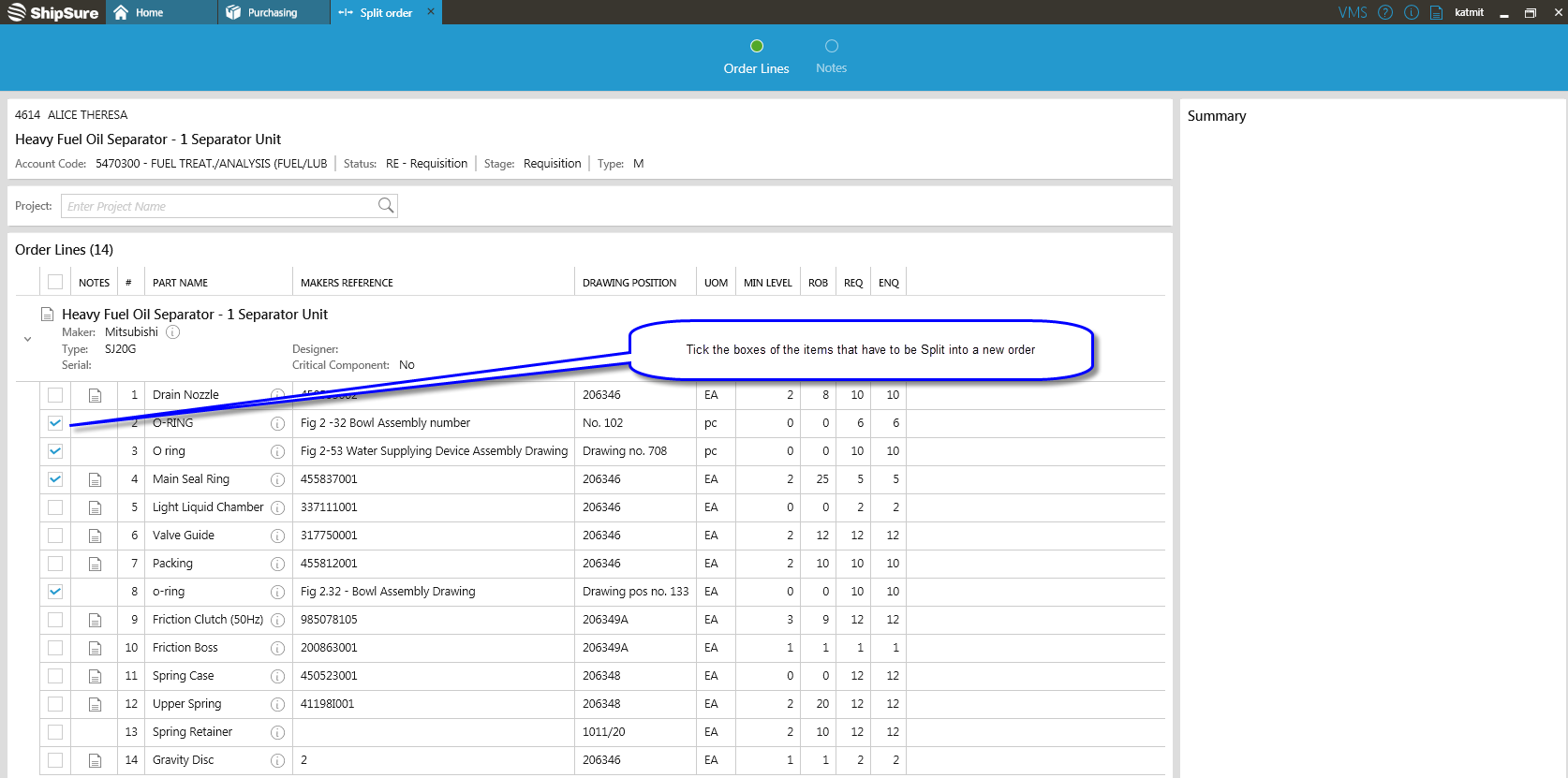
- The order lines you choose will be removed from the original requisition / enquiry and added to a new requisition / order. If the original order number was 3000-90123, the new order number will be 3000-90123a. Remember that you can also merge requisitions.
-
 - It is not possible to split requisition / enquiries with only one order line, or "on hold" / cancelled requisition / enquiries.
 -
- It is not possible to split requisition / enquiries that were created as a result of splitting another requisition / enquiry (although the original requisition / enquiry can be split more than once).
-
- Splitting an order at the Enquiry Stage can only be done before the suppliers have been added.
What next?
You can review all the orders before they are converted to an enquiry.